It’s no secret that Windows has been in an amazing spree of self-destruction, with each release being worse than the last: Windows 11, Copilot, ads everywhere, half-assed features and bugs as far as the eye can see. If you can think of a feature on Windows, chances are it’s already broken in one way or another. And that’s one of the reasons a friend recently went all-in and replaced it with Arch Linux. It sparked my curiosity as well, starting with a bit of distro-hopping1 on my old laptop and finally settling with PikaOS (Gnome) on my main battlestation.
I am no stranger to Linux. I’ve been using it in and out for almost 20 years now, since Ubuntu 8.04 and the early days of LliureX (a public-owned distro for Valencian schools) both on desktops and servers, so I was very familiar already and it was no hassle for me. PikaOS works wonders, is beautiful and the new Gnome desktop is a delight too. Rocket League works even better than it does on Windows, which is surprising due to how broken it is in general.
But if you’re as much of a multimedia power user and PC nerd as me, you already know this is where small, piling issues begin. On one side I love the experience overall, the responsiveness and control over the OS, but at the same time I have so many nitpicks that keep me away from feeling truly comfortable on a regular use.
ℹ️ This is not representative of your average user’s complains and much less a call to discourage you from trying any Linux distro, but my experience about how it crashes with my usual workflows and uses.
Multimedia editing software
It’s well known and advised that if you jump to Linux, you’re going to miss this app or the other, and that it’s better to find native alternatives instead of using Wine— but if you use specialized software, this is not a possibility.
There is no proper replacement to the Adobe suite (mandatory FUCK ADOBE sentence), Affinity or FL Studio. Yes, there might be other media editing softwares, but let’s be real: None is usually close or as comfortable to use versus what I’ve mentioned. I have no issue with replacing a text processor, media player or weather app, but this is different and a huge dealbreaker for me.
I really tried to make work Affinity on PikaOS, but even though someone made an amazing launcher to download, prepare and install the whole thing through Wine, using it is a mess: It works in a self-contained sandbox, windows rendering was a mess and sometimes it even exported blank files. Honestly— after this, I wasn’t really up to keep battling with it.
No MusicBee, no party
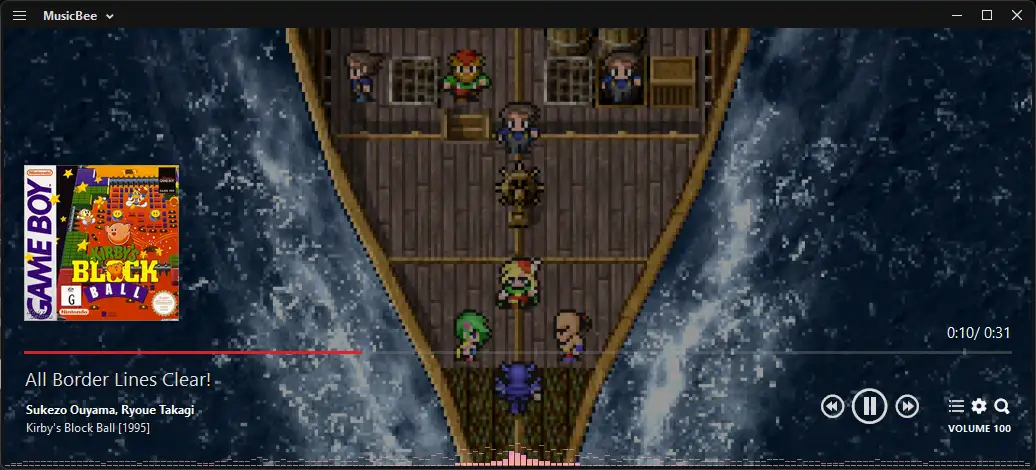
Not everyone has a >20k songs music library, and much less a need to manage all those files (if they even use local music files at all)— but I’ve been holding on my stuff for over 15 years and that’s why MusicBee is so important to me. Since 2018 it has been the whole access hub to my music, saving importing dates, curating metadata and monthly playlists since then.
Now, MusicBee is a native Windows program, so of course I wouldn’t be able to use it as it is, but there’s neither a usable and good-looking alternative to it. Most media players are:
- Simple and basic
- Electron webapps
- Ancient UX messes
In the end my only viable alternative was to use an Electron desktop client to my self-hosted Navidrome server. Workable, but much less than ideal.
Emoji insertion is a nightmare
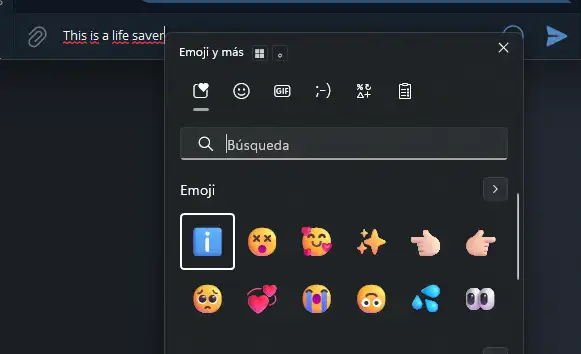
Winkey + . is, along with Ctrl + C and Ctrl + V, one of my most used shortcuts on Windows. It shows a small dialog along to your focused text input (that is broken too and many times it simply apears on the lower right corner of the screen) and allows you to insert from emojis, to GIFs, to symbols. I use it especially for emojis, but it’s also the only way I know to insert an em dash (—) since I stopped using a full-sized keyboard with Numpad keys.
There are some alternatives, like a special character shortcut for… special characters, or some Gnome extensions to insert emojis. Now comes the catch: they’re not as intuitive and feel more like an afterthought than a proper feature. I could pass the character shortcut; but what emoji selectors actually do is saving the character to the clipboard to paste it in the text input, logically erasing what you had in the clipboard before.
For fucks sake, I wanted to insert an emoji, not to remove my clipboard! (╯°□°)╯︵ ┻━┻
Subpar text rendering
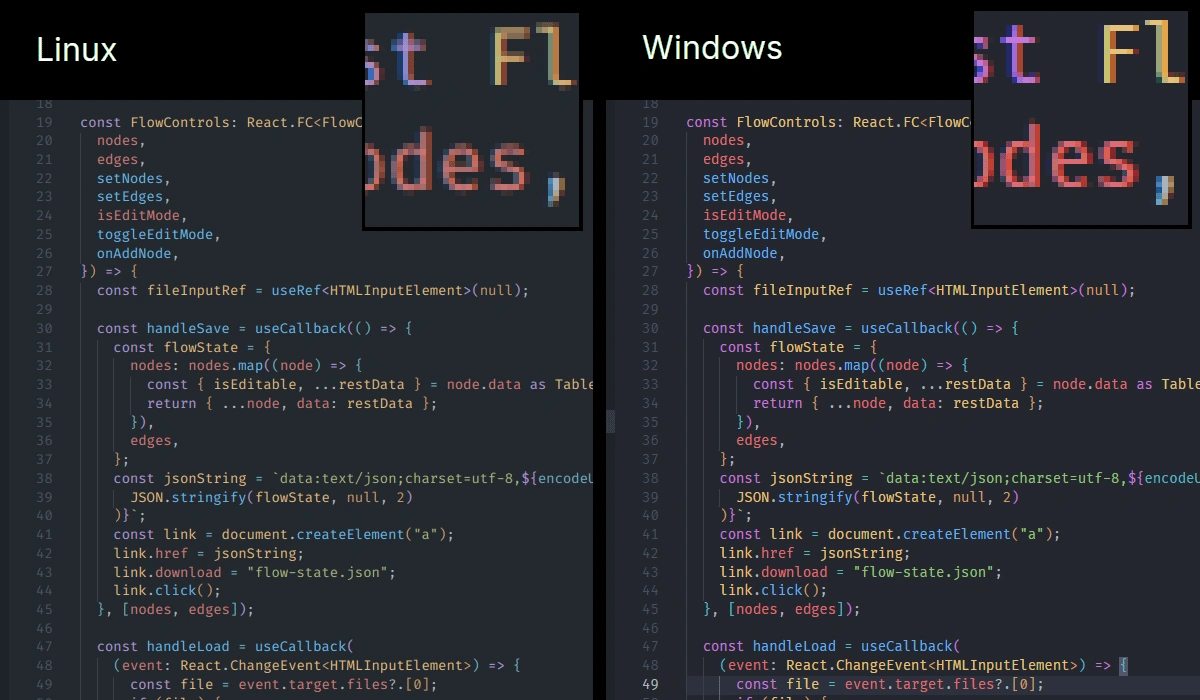
Microsoft, being a bunch of bastards, have a kind of black magic all for themselves: ClearType. According to Wikipedia, a form of sub-pixel font rendering that draws text using a pixel’s RGB components instead of using the entire pixel.
Okay, I’m not going to pretend I truly understood what it really does or how it works, but it really does. And I didn’t expect it would bother me so much to have so much worse legibility around the system. Many people don’t even notice the change and this might be the most nitpicky complain on my list, but you know: #JustAutisticThings.
I guess.
I’m the first one trashing propane and propane accessories Microsoft and Microsoft services— but as far as my use of a computer goes, there’s no proper replacement for Windows yet. Linux is fantastic in some areas and getting better everytime, but at the same time still doesn’t make the cut for others. I’d love to properly try macOS at some point, but I won’t get rid of my PC to get into yet another walled garden.
Footnotes
-
Known as the act of wiping your system and try yet another distro in a short time. ↩